How To Get Free Advertising On Google For Your Small Business
Every small business in existence has the same end goal in its bag of wishes, stability, and growth through revenue generation. This is also the generic goal of any other business in existence in a free market economy locally and on a global stage. Competition becomes steeper and steeper the more the market is congested as per niche or segment of the market and advertising and marketing can be an intimidating proposal for some small businesses who operate in sectors that have big businesses offering the same or similar services or goods.
The fact that big businesses may have big marketing budgets may leave some small businesses seeing and treating marketing and advertising as only an endeavor exclusively accessed only by big budgets whereas the truth is the opposite. This actually may have been true 20 years ago before the invention of social media and digital marketing, but these days there is actually an open market for everyone big or small to access their audiences with various budget sizes.
Yes, big business still has bigger budgets that allow them to do bigger advertising campaigns at a bigger scale than small businesses, but it no longer means advertising is exclusively a big business only endeavor. The rapid developments of social media technology and search engines over the past 20 years has given small businesses a grand stage filled with opportunities to access advertising and achieve similar results as big business.
Free Google Business Profile
Small businesses can successfully advertise their services and products with relative ease and affordability using various free tools that are today available to ordinary people and big businesses alike. As much as social media platforms are free to open a business page and start to build audiences and do business for small businesses, Google as the world’s largest search engine also created a business suite app that allows small businesses to own a Business profile for free.
This tool formerly called Google My Business is now called Google Business Profile and it also allows businesses to advertise their businesses using different features of the platform to share important information about products, and services they can advertise specials, deals, and different new products, etc. The Google Business Profile is a free tool that enables small businesses to create an online presence and connect with potential customers. By creating a Business Profile, small businesses can provide customers with essential information such as their location, contact details, hours of operation, and reviews.
This information appears in Google Search and Maps, making it easier for customers to find and engage with the business. Additionally, businesses can add photos and videos to their profile to showcase their products or services and stand out in search results. By utilizing the Google Business Profile, small businesses can improve their online visibility and attract more customers. This platform has a free website that publishes your information and allows your potential clients to reach out to you, they can even call you from the website itself or ask for directions.
How to Register A Profile
Registering a Google Business Profile for a small business is a simple process. First, go to the Google My Business website and sign in with your Google account. Then, enter your business name and address to see if a profile already exists. If it does, you can claim the profile and verify your ownership. If not, you can create a new profile by providing your business information, such as your website, phone number, and hours of operation. Verifying may be a bit tricky if you do not fully understand what you are doing but there is no need to panic because you will get this right no matter if you do not know this.
Once your profile is created, you can customize it by adding photos and videos, creating posts, and responding to customer reviews. By registering a Google Business Profile, small businesses can improve their online visibility and attract more customers. Once you get in you need to insert all your accurate business information and make sure you are consistent with your business information. You will need to upload some images of your business, and external images of your business place ( if you have branded images of your external and internal it is a plus).
Publishing Posts
Utilizing Google Business Profile posts can provide numerous benefits for small businesses. By creating and publishing posts, businesses can increase their visibility in search results, engage with their target audience, and drive traffic to their website.
Posts can be used to promote events, share special offers, showcase new products or services, and provide helpful information to potential customers. Additionally, businesses can include a call-to-action (CTA) in their posts, such as “Book Now” or “Learn More,” to encourage users to take action and convert into customers. Overall, incorporating Google Business Profile posts into a small business’s marketing strategy can help them stand out in a crowded online marketplace and attract more customers.
Another benefit of Google My Business posts for small businesses is the ability to track their performance and measure the success of their marketing efforts. By using the insights feature within Google My Business, businesses can see how many views, clicks, and actions their posts are generating. This data can be used to optimize future posts and improve their overall marketing strategy. Additionally, businesses can monitor and respond to customer reviews through their Google My Business account, which can help them build trust and credibility with potential customers.
By providing timely responses to reviews, businesses can demonstrate their commitment to customer satisfaction and improve their online reputation. Overall, Google My Business posts are a valuable tool for small businesses looking to increase their online presence, attract more customers, and improve their marketing efforts.
Customer Interactions
The Google Business Profile provides small businesses with a variety of ways to interact with clients. Here are some key ways to use the platform to engage with customers:
Respond to reviews: The Google Business Profile allows businesses to respond to customer reviews. By responding to both positive and negative reviews in a timely and professional manner, businesses can show that they value customer feedback and are committed to providing a positive experience.
- Create posts: Businesses can create posts on their Google Business Profile to share news, promotions, events, and other updates with customers. By creating engaging and informative posts, businesses can attract new customers and keep existing ones informed and engaged.
- Add photos and videos: The Google Business Profile allows businesses to add photos and videos to showcase their products or services. By adding high-quality visuals, businesses can grab customers’ attention and provide a more immersive experience.
- Use messaging: Some businesses can use the messaging feature on their Google Business Profile to communicate with customers directly. This can be a valuable way to answer quick questions, provide customer support, or schedule appointments.
- Update business information: Finally, businesses can use their Google Business Profile to update important information such as their hours of operation, contact details, and website. By keeping this information up-to-date and accurate, businesses can ensure that customers can easily find and engage with them.
Overall, the Google Business Profile provides small businesses with a variety of tools to interact with clients and build strong customer relationships. By utilizing these features, businesses can improve their online presence, attract more customers, and ultimately grow their business.
Conclusion
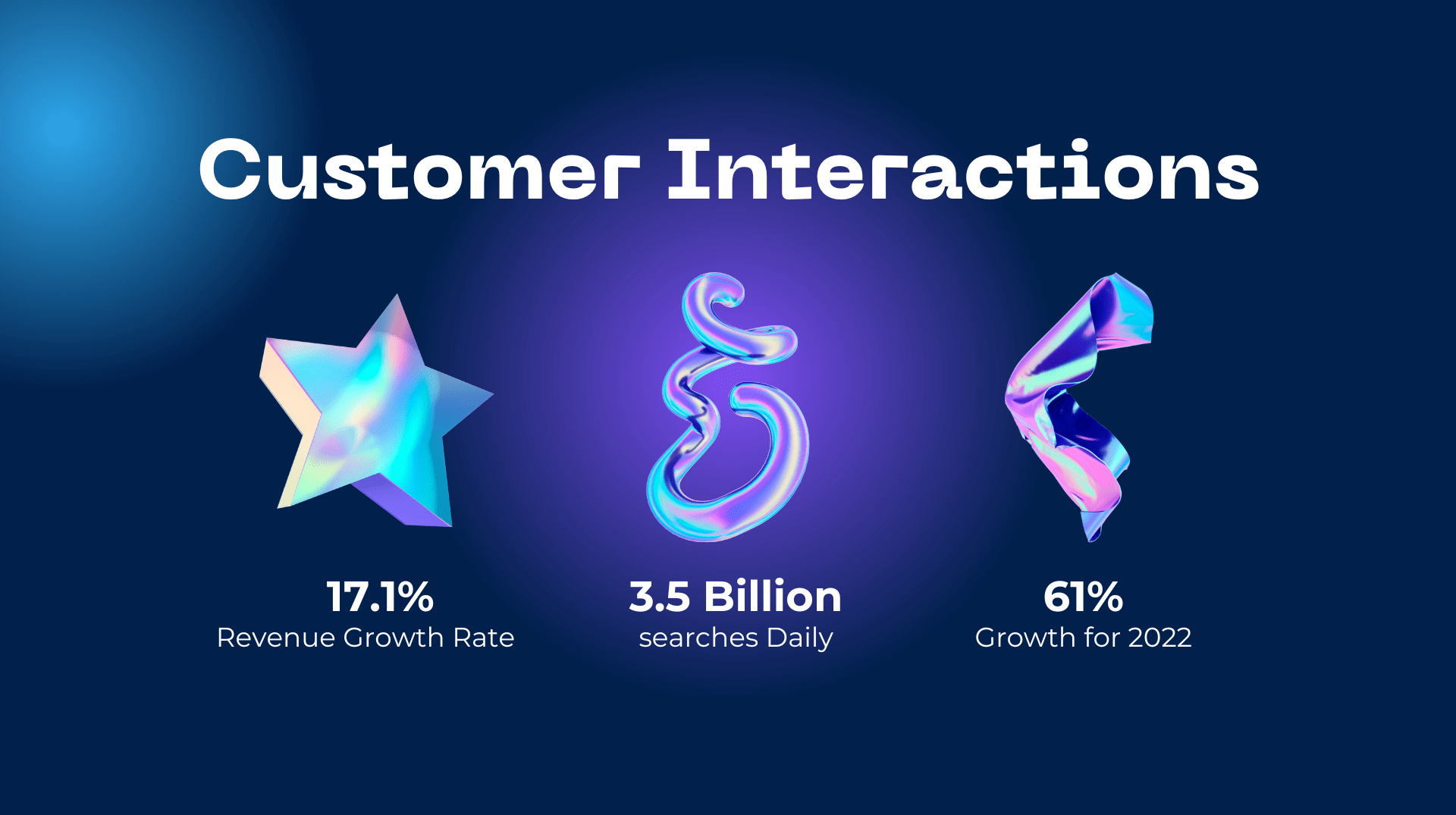
Google is a popular destination for consumers, with more than 3.5 billion searches performed on the search engine every day. Its location-specific and informative results have made it an integral part of our daily lives, serving as a go-to tool for a wide range of activities including checking the weather, purchasing tickets, discovering products, verifying services, answering quick inquiries, checking business hours, and more.
If your establishment provides a distinctive or popular service, ensure that it is noteworthy enough to be mentioned in reviews. As shown in the following instance, when you look up “pork shesanyama near me” on Google, restaurants that provide anything “pork shesanyama” mentioned in their reviews will appear at the top of the search results and you will find yourself more business requests.
Related Posts